

An AI note taker is an automated tool that captures spoken audio, transcribes it into text, and organizes the result into structured, searchable notes without any manual effort. These tools use speech recognition engines and natural language processing to turn lectures, meetings, and interviews into usable documents in seconds. For students buried in lecture recordings and professionals juggling back-to-back calls, the shift from manual to AI-assisted note capture is one of the most practical productivity gains available right now. Voicemint is one platform built specifically around this workflow, converting voice recordings directly into formatted study and work documents.
How does an AI note taker work?
The core process behind any AI note taker follows a consistent pipeline: audio capture, transcription, and content organization. Each step relies on a different layer of technology working together.
Speech-to-text transcription is the foundation. Whisper-class engines and similar automatic speech recognition models convert raw audio into raw text. AI transcription services now support over 50 languages, which means the technology is no longer limited to English-speaking users. That multilingual reach makes these tools genuinely useful for international classrooms and global teams.
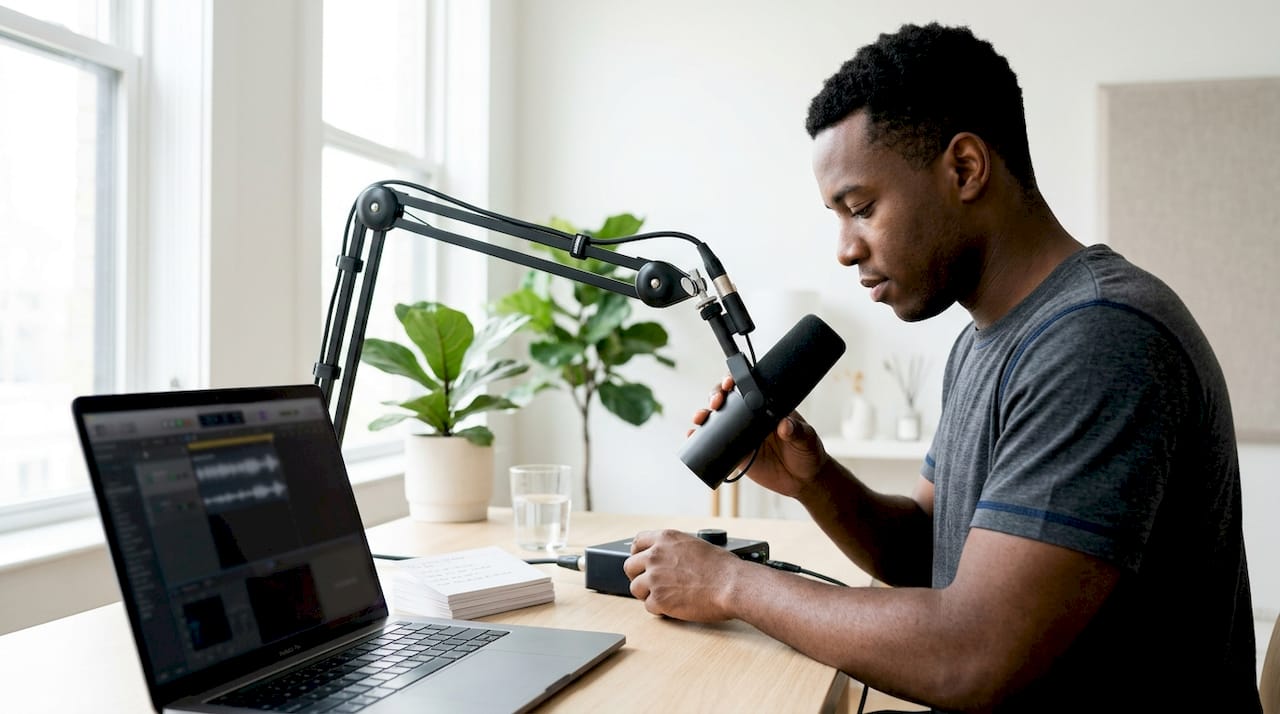
Natural language processing (NLP) is what separates a transcript from a useful note. After transcription, the language model reads the raw text and identifies key concepts, action items, and logical sections. It then restructures the content into headings, bullet points, and summaries. The difference between a raw transcript and an NLP-processed note is the difference between a wall of text and a document you can actually study from.
Here is how a typical workflow runs from start to finish:
- Record or upload audio. You capture a lecture, meeting, or voice memo directly in the app, or upload an existing audio file.
- Transcription runs automatically. The speech recognition engine processes the audio and produces a raw text transcript.
- NLP enrichment applies. The language model identifies structure, extracts key points, and generates a summary.
- Notes are delivered. You receive a formatted document with headings, bullet points, and searchable text ready for review.
- Retrieval and sharing. Notes sync to the cloud or stay local, depending on the platform's architecture.
Some platforms use a local-first architecture that stores notes as plain Markdown files on your device, then enriches them with cloud AI services. That approach gives you full ownership of your notes and offline access, which matters if you work in environments with unreliable internet.
Pro Tip: Record a short test clip before any important session. Listening back for 30 seconds tells you whether the microphone placement and room acoustics will produce a clean transcript.
What features should you look for in an AI note-taking app?
Not every AI note-taking app is built for the same person. The features that matter most depend on how you actually use notes day to day.
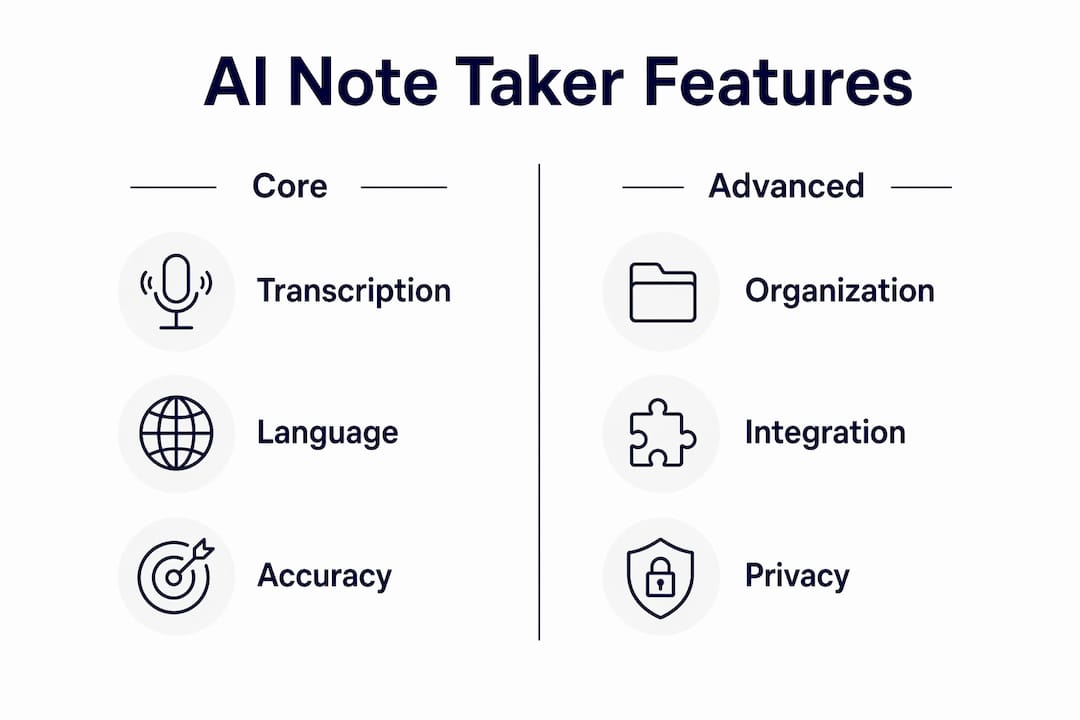
Accuracy and language support come first. A tool that mishears technical vocabulary or proper nouns creates more cleanup work than it saves. Look for apps that let you add custom vocabulary or domain-specific terms.
Real-time transcription vs. post-processing is a meaningful distinction. Real-time tools show you a live transcript as someone speaks, which is useful in meetings where you need to follow along. Post-processing tools run after the recording ends and often produce cleaner output because they analyze the full audio at once.
Here are the core features worth evaluating before you commit to any platform:
- Searchability and organization. Folders, tags, and keyword search let you find a specific moment in a recording weeks later without scrolling through everything.
- Collaboration and sharing. Syncing notes across devices and sharing them with teammates or classmates multiplies the value of every recording.
- Multimedia support. The best tools handle audio, video, and even pasted text, so you are not locked into one input format.
- Data privacy and storage. Local storage keeps sensitive content off third-party servers. Cloud storage makes retrieval easier from any device. Know which one your context requires.
- AI enrichment options. Summaries, flashcards, and quizzes generated from your notes turn passive recordings into active study material.
Productivity experts recommend matching your tool to your personal note-taking style. A minimalist who wants quick capture needs a different app than a knowledge worker who builds a searchable personal database.
Pro Tip: Before choosing a platform, write down the three things you most often do with notes after a session. If you review them once and discard them, a simple transcription tool is enough. If you build on them over weeks, prioritize search, tagging, and AI enrichment.
What are the real benefits and limitations of AI note takers?
AI note takers deliver their clearest benefit in time savings. Automated note taking helps teams stay in sync by sharing notes and action items instantly after a meeting ends. That means no one spends 20 minutes after a call reconstructing what was decided. For students, the same principle applies to lectures: you listen and engage instead of splitting attention between the speaker and your notebook.
The use cases where these tools perform best include:
- University lectures. Students capture full audio and receive a structured summary with key terms highlighted.
- Business meetings. Action items and decisions are extracted automatically and shared with attendees.
- Interviews and research. Journalists and researchers transcribe hours of conversation without manual typing.
- Creative brainstorming. Voice memos become organized idea documents instead of forgotten recordings.
The limitations are real and worth knowing before you rely on these tools in high-stakes situations.
Real-time AI transcription improves meeting note accuracy, but accuracy depends on the recording environment and internet connection quality. Background noise, overlapping speakers, and poor microphone placement all reduce output quality.
Privacy is a separate concern. If you record conversations in legal, medical, or confidential business contexts, you need to verify where the audio is processed and stored. Cloud-based tools send audio to external servers. Local-first platforms keep everything on your device. The right choice depends on your specific obligations, not just your preference.
The practical fix for most accuracy problems is environmental: a quiet room, a decent microphone, and speakers who avoid talking over each other. These conditions are controllable, and they make a measurable difference in transcript quality.
How to get the most out of your AI note taker
Getting good results from an automated note-taking tool is not automatic. A few consistent habits separate users who love these tools from those who abandon them after a week.
- Set up a clean recording environment. Close windows, mute notifications, and position your microphone 6–12 inches from the primary speaker. Background noise is the single biggest source of transcription errors.
- Train speaker recognition. Training the AI to recognize voices improves accuracy for meetings and interviews with multiple participants. Most platforms that offer speaker identification require a short voice sample from each person.
- Review and tag notes within 24 hours. Memory of the original context fades fast. Reviewing notes the same day lets you catch errors and add tags while the material is still fresh.
- Use AI-generated learning aids. Automated summaries, flashcards, and quizzes generated from transcribed content improve retention significantly compared to passive re-reading. This feature is especially valuable for students preparing for exams.
- Connect notes to your existing tools. Export to your calendar, task manager, or document editor so notes live where you already work. A note that stays inside a single app is a note you will forget to check.
Pro Tip: Use the AI-generated summary as your first review pass. If the summary misses something important, that is a signal the recording quality needs improvement, not just the AI.
Choosing the right tool for your note-taking persona is the single most important decision. A tool built for quick meeting capture will frustrate a student who needs flashcards and quiz generation. Align the platform's strengths with your actual workflow before committing.
Key Takeaways
The most effective AI note taker combines accurate speech recognition, NLP-driven organization, and a storage model that matches your privacy needs.
| Point | Details |
|---|---|
| Match tool to your workflow | Choose based on your note-taking style: quick capture, deep organization, or meeting focus. |
| Environment drives accuracy | Clean audio from a quiet room and a good microphone reduces transcription errors more than any software setting. |
| NLP turns transcripts into notes | Natural language processing extracts structure and key points; raw transcription alone is not enough. |
| Privacy depends on storage model | Local-first platforms keep audio on your device; cloud tools offer easier access but send data to external servers. |
| AI aids accelerate learning | Summaries, flashcards, and quizzes generated from recordings improve retention beyond passive review. |
What I've learned after years of watching note-taking habits evolve
The most common mistake I see is treating an AI note taker as a passive recorder. People hit record, walk away, and expect a perfect document. The technology is genuinely impressive, but it rewards the users who treat it as a system rather than a magic button.
The shift I find most interesting is how these tools change what you pay attention to during a meeting or lecture. When you know the audio is captured, you stop writing and start listening. That is a real cognitive gain. The problem is that passive listening without any engagement can leave you with a perfect transcript you never actually process.
The users who get the most value combine AI capture with a brief manual review. They let the machine do the transcription and structuring, then spend five minutes confirming the key points and adding personal context the AI could not infer. That hybrid approach consistently outperforms either pure manual notes or pure AI capture.
My honest concern with the current generation of tools is data privacy. Most platforms that offer the best AI enrichment are cloud-based, which means your audio goes to a server you do not control. For personal study notes, that is a reasonable trade. For sensitive business conversations or confidential research, it is a risk worth thinking through carefully before you hit record.
The direction the technology is heading is clear: local AI models are getting smaller and faster, which means the trade-off between privacy and enrichment quality will shrink. For now, the best practice is to know exactly where your audio goes and choose accordingly.
— andrea
Voicemint: turn your voice recordings into organized documents
If you want to skip the formatting work entirely, Voicemint handles the full pipeline from audio to structured document in seconds.
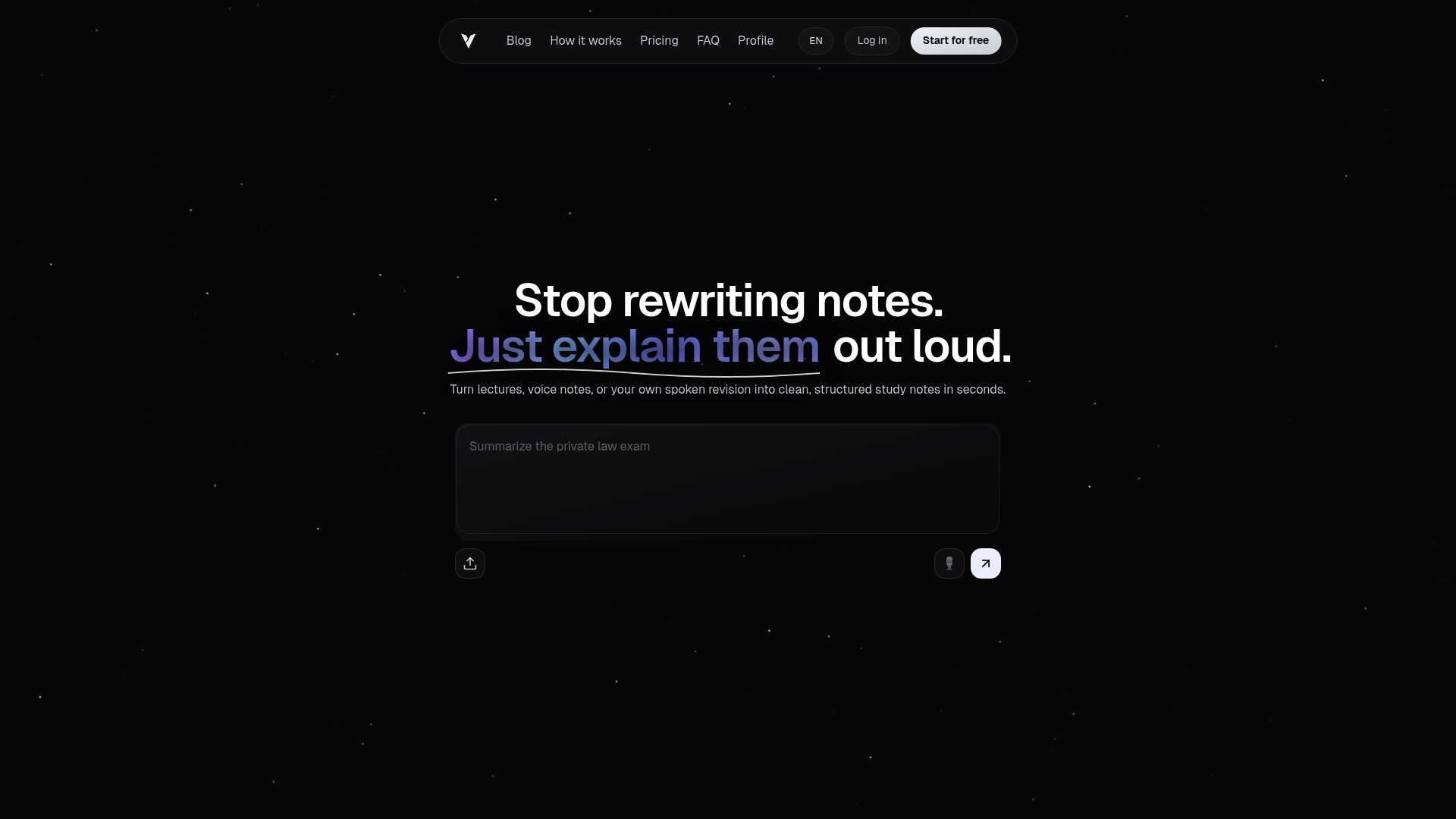
Voicemint lets you record directly, upload an existing audio file, or paste text notes. The platform identifies key concepts and organizes the content into headings and bullet points automatically. The output is a ready-to-use document, not a raw transcript that still needs cleanup. For students preparing for exams and professionals who need clean meeting records, that difference in output quality is significant. Try Voicemint and see how fast a voice recording becomes a formatted, professional document you can actually use.
FAQ
What is an AI note taker?
An AI note taker is a software tool that records audio, transcribes it using speech recognition, and organizes the text into structured notes with the help of natural language processing. The output is a searchable, formatted document rather than a raw transcript.
How accurate are AI transcription services?
Accuracy depends on audio quality, microphone placement, and background noise levels. Real-time transcription tools perform best in quiet environments with clear speech and a stable internet connection.
Can an AI note taker support multiple languages?
Many AI note-taking apps support over 50 languages, making them practical for multilingual classrooms and international teams.
Is my audio data private when using cloud-based tools?
Cloud-based tools send audio to external servers for processing, which creates privacy considerations for sensitive content. Local-first platforms store and process notes on your device, giving you full control over your data.
Can AI note takers generate study materials from recordings?
Yes. Platforms with AI enrichment features generate summaries, flashcards, and quizzes directly from transcribed content, which improves learning efficiency compared to re-reading raw notes.